A+K Invoices
Live · in real useI'm always chasing projects worthy of the full scope of AI, but sometimes you just need something light and practical that gets the job done. Katie runs a bridal-makeup business, and it grew to the point where she needed to send and process real invoices. So I whipped one together, and the best part is it cost nothing.
Why I built it
I'm always looking for projects worthy of the full scope of AI, but sometimes you just need something light and practical that gets the job done. My friend Katie does makeup for bridal parties. It started small, but business had picked up enough that she needed a real way to send invoices and take payment, not a screenshot and a payment-app request, but an actual invoice with her name on it.
So I whipped this together. It lets her securely send branded invoices to her clients and collect payment through Stripe, and the best part is that it costs nothing to run: no monthly SaaS bill, no server, nothing for her to maintain.
What it's made of
None of this is custom infrastructure. It's a handful of free accounts, wired together. Here's everything it took:
- Google Sheet to manage the invoices
- Stripe account to process payments
- Google Apps Script function to securely serve the invoice data
- GitHub account and repo to publish the site
- Formspree account so clients can message back
And then I used Claude (with its web-design skill) to put it all together.
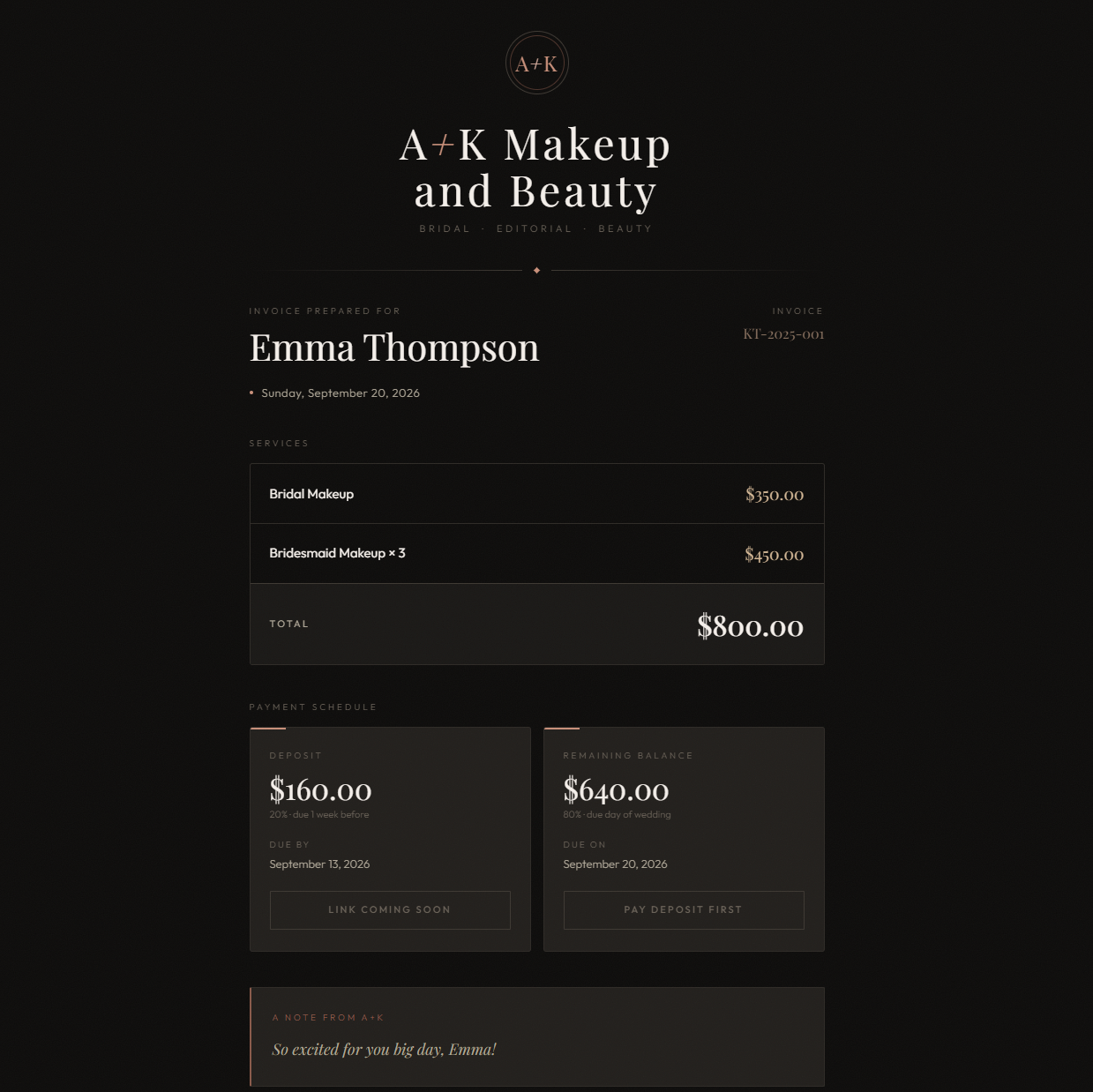
The pieces wire up simply. Each invoice is a row in the Sheet. The Apps Script sits in front of it as a tiny web app: hand it an invoice id, it returns that row as JSON. The page (a single static file on GitHub Pages) reads the id from the URL, fetches the invoice, and renders it in Katie's branding with Stripe pay buttons wired in. Formspree handles the little message box, emailing Katie whatever a client writes so she can just hit reply. The live demo opens a sample invoice; each real one lives behind its own id.
Both files are in the download panel: the client page and the Apps Script backend. Grab them, set two values, and deploy.
Before the backend runs, set two values at the top of the script: SHEET_ID (the id in your Google Sheet's URL, the part between /d/ and /edit) and SHEET_NAME, the tab name (for example Invoices). Until both are filled in, every request comes back Sheet not found.
The bigger idea
This isn't a big project. It didn't take serious development time. Honestly, I probably could have thrown it together on my phone. Start to finish, it took about forty minutes. But it's a real tool that serves a real purpose, and it's in use right now.
I think a lot of people are handing broad prompts to AI and being amazed by what comes back. The quieter, more interesting shift is that we can now make specific tools for ourselves, on demand. I still had to sign up for a few accounts to wire everything together, but I'm seeing more and more tools that do that wiring automatically.
The most consumer-friendly use of AI, to me, is the one you can make within your own attention span and use immediately. Invoicing is just one of an almost infinite list of problems we can now solve in a few minutes: connecting apps that already exist into something that has a purpose the moment it's finished.
We're shifting from being amazed by AI to quietly building the small, specific tools we actually need, and using them the minute they're done.
Need something built to fit, not rented?
Small tools like this, and larger systems for market research, both start the same way: a conversation about the work your team is still doing by hand.